


Close Menu
mysoftwareusb.commysoftwareusb.com

    Subscribe to Updates

    Get the latest creative news from FooBar about art, design and business.

    Verify IT Employee →
    What's Hot

    Best High-End Gaming PCs in 2026: Top Picks, Specs, Performance and Buying Guide

    13/10/2026

    TITAN X Gaming PC: Complete Guide Specs, Features, Performance and Buying Information

    07/10/2026

    GX-900 Ultra Gaming PC: Specs, Features, Performance & Complete Guide

    27/09/2026
    Facebook X (Twitter) Instagram
    • Privacy Policy
    • About us
    • Disclaimer
    • Contact Us
    Facebook X (Twitter) Instagram
    mysoftwareusb.commysoftwareusb.com
    • Home
    • Computer
    • Gaming
    • Motherboards
    • Processors
    • Ram
    • Software
    • PC Builder
    • CCTV Camera
    • Register
    mysoftwareusb.commysoftwareusb.com
    Home»PC Builder»SSD vs HDD in 2026: Why You Should Never Buy a Hard Drive for Your PC Again
    PC Builder

    SSD vs HDD in 2026: Why You Should Never Buy a Hard Drive for Your PC Again

    cvesraj@gmail.comBy cvesraj@gmail.com13/03/2026Updated:28/03/2026No Comments2 Mins Read
    Facebook Twitter Pinterest LinkedIn Tumblr Email
    Share
    Facebook Twitter LinkedIn Pinterest Email

    In 2026, the storage debate between SSDs (Solid State Drives) and HDDs (Hard Disk Drives) is essentially over — SSDs have won on almost every metric. But HDDs still hold a narrow use case. This guide gives you the facts to make the right choice for your build, upgrade, or NAS setup.
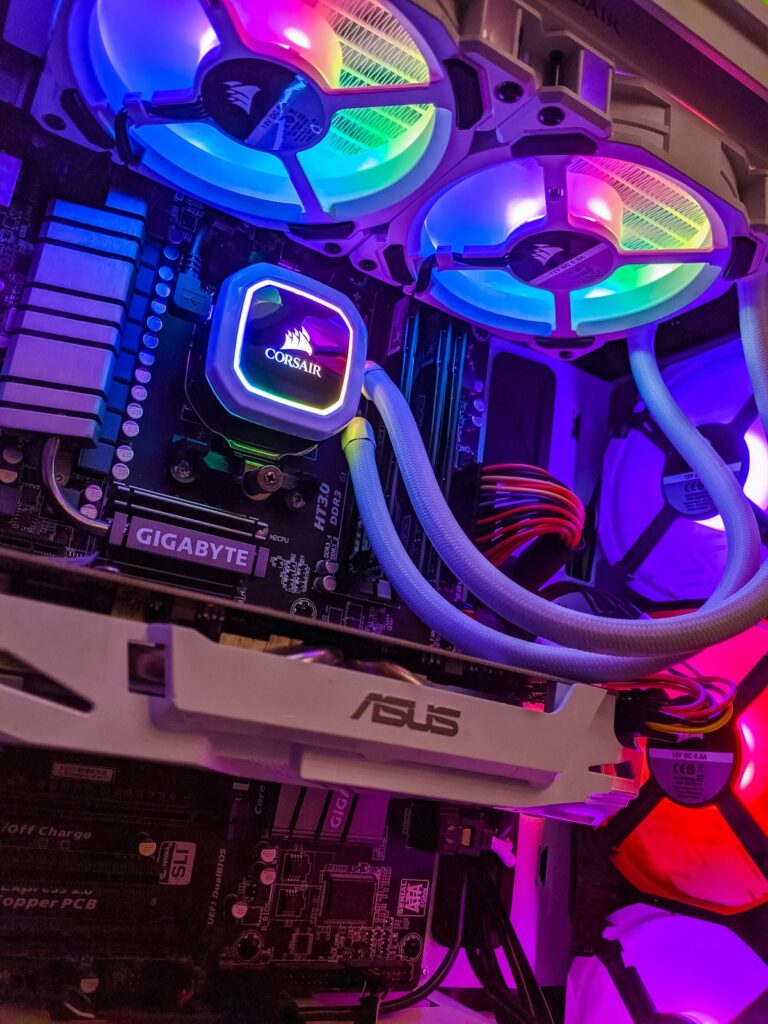
    Modern PCIe 5.0 NVMe SSDs are up to 100x faster than traditional hard drives

    Speed: It’s Not Even Close

    Drive TypeSequential ReadSequential WriteBoot Time
    HDD (7200 RPM)~160 MB/s~140 MB/s45–90 seconds
    SATA SSD~550 MB/s~520 MB/s10–15 seconds
    PCIe 4.0 NVMe SSD~7,000 MB/s~6,500 MB/s5–8 seconds
    PCIe 5.0 NVMe SSD~14,000 MB/s~12,000 MB/s3–5 seconds

    Price Per Gigabyte in 2026

    SSD prices have collapsed significantly. Here’s the real cost comparison:

    • HDD (8TB): ~$120 = $0.015/GB
    • SATA SSD (4TB): ~$220 = $0.055/GB
    • PCIe 4.0 NVMe (2TB): ~$110 = $0.055/GB
    • PCIe 5.0 NVMe (2TB): ~$180 = $0.09/GB

    HDDs are still cheaper per GB at large capacities, making them valuable for cold storage (backups, media archives).

    Reliability and Lifespan

    SSDs have no moving parts, making them far more resistant to physical shock. HDDs have spinning platters and read/write heads that can fail catastrophically from a drop. However, SSDs have a limited number of write cycles (TBW — Terabytes Written).

    • A quality 1TB NVMe SSD has 300–600 TBW — more than enough for 5–10 years of typical use
    • HDD failure rates peak around years 3–5 due to mechanical wear
    NVMe M.2 SSD installed in motherboard slot
    Modern M.2 NVMe SSDs are compact, fast, and easy to install in any modern motherboard

    Best SSDs to Buy in 2026

    • Samsung 990 Pro (PCIe 4.0): Best all-around NVMe — 7,450 MB/s read, 1TB for ~$80
    • WD Black SN850X (PCIe 4.0): Best for gaming — excellent DirectStorage performance
    • Crucial T705 (PCIe 5.0): Fastest consumer SSD — 14,500 MB/s read, ideal for creators
    • Kingston NV3 (PCIe 3.0): Best budget SATA alternative — 4TB for under $200

    When to Still Use an HDD

    • Building a NAS (Network Attached Storage) for home media
    • Long-term offline backups and archiving
    • Surveillance systems requiring 24/7 write cycles (use NAS-rated drives like WD Red)

    Verdict

    For any primary system drive — Windows, macOS, Linux, games, applications — always choose an NVMe SSD. For mass storage and backups, HDDs still offer unbeatable cost per terabyte. The winning strategy: NVMe SSD for the OS + HDD for the archive.

    NVMe SSD SSD vs HDD
    Share. Facebook Twitter Pinterest LinkedIn Tumblr Email
    Previous ArticleDDR5 vs DDR4 RAM in 2026: Is It Time to Upgrade Your Memory?
    Next Article Best Motherboards of 2026: Top Picks for Intel and AMD Platforms
    cvesraj@gmail.com
    • Website

    Related Posts

    TITAN X Gaming PC: Complete Guide Specs, Features, Performance and Buying Information

    07/10/2026

    GX-900 Ultra Gaming PC: Specs, Features, Performance & Complete Guide

    27/09/2026

    How to Fix Windows 11 High CPU Usage: 12 Proven Solutions

    15/09/2026
    Add A Comment
    Leave A Reply Cancel Reply

    Editors Picks
    Top Reviews
    Advertisement
    Demo
    Facebook X (Twitter) Instagram Pinterest YouTube
    • Home
    • Privacy Policy
    • About us
    • Contact Us
    • Disclaimer
    © 2026 My Software USB. Designed by My Software USB.

    Type above and press Enter to search. Press Esc to cancel.