

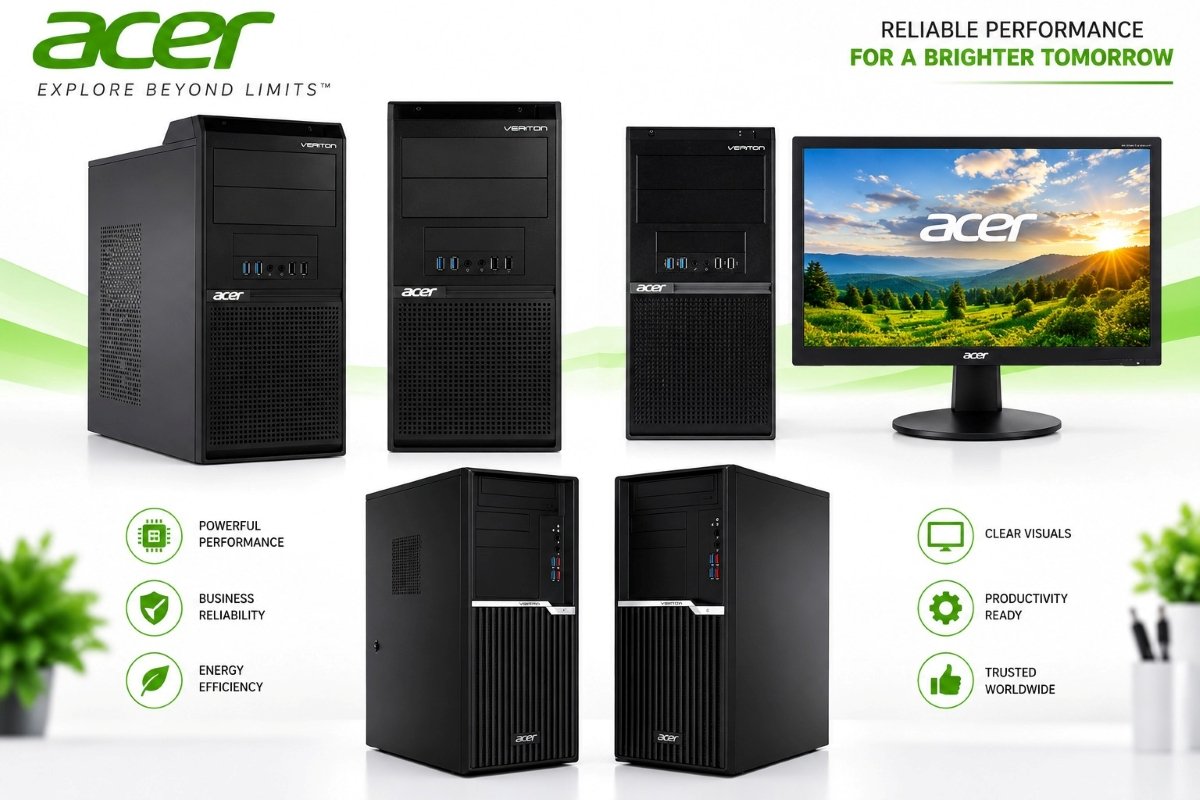
When looking for a desktop computer, for work, business, home office or everyday productivity, reliability and expandability can be just as important as performance. The Acer Veriton M200-H610 is a business-centric desktop platform that is built around Intel processors, DDR4 memory, multi-storage and gigabit networking and a range of connectivity features.
Unlike many modern compact desktop platforms that are focused on minimizing size, the Veriton M200-H610 is available in different chassis configurations including a traditional Mini Tower (MT) and Small Form Factor (SFF) options.
According to the provided Acer specification document, the system can be configured around Intel Celeron and Pentium Gold options, and 12th Generation Intel Core i3, i5 and i7 processors, memory configurations up to 64GB of dual-channel DDR4 RAM and storage options involving traditional hard drives and SSDs.
But, is the Acer Veriton M200-H610 worth considering for business and everyday computing? Let’s look at this desktop’s specifications, connectivity, expandability and the type of user that can benefit from this particular desktop system.
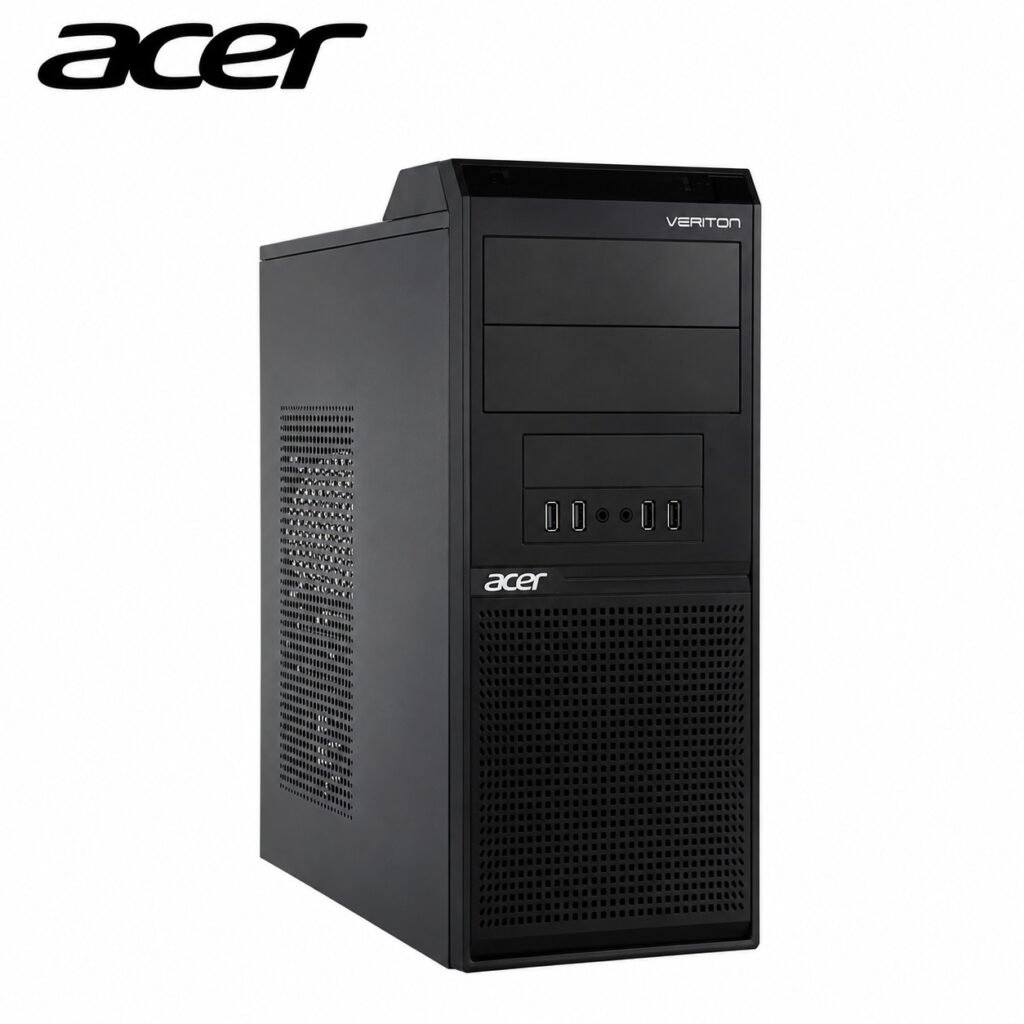
Table of Contents
What Is the Acer Veriton M200-H610?
The Acer Veriton M200-H610 is a desktop platform that is focused primarily around productivity and business computing.
The “H610” notation refers to the Intel H610 Express chipset that is used by the platform, and it supports a variety of Intel processor configurations, giving businesses and consumers the flexibility needed to choose the right processor for their particular needs and workload.
The available processor options listed in the Acer documentation include:
- 12th Generation Intel Core i7
- 12th Generation Intel Core i5
- 12th Generation Intel Core i3
- Intel Celeron
- Intel Pentium Gold
Integrated Intel UHD Graphics are available depending on the processor configuration. For example, the document lists Intel UHD Graphics 770 with the Core i7 configuration, UHD Graphics 750/730 with certain Core i5 configurations, UHD Graphics 730 with Core i3 and UHD Graphics 710 with Celeron and Pentium Gold configurations.
This range makes the platform suitable for different levels of everyday computing rather than limiting it to one class of performance.
Acer Veriton M200-H610 Specifications
Here’s a look at the key specifications mentioned in the provided Acer document.
Feature: Acer Veriton M200-H610
Operating System: Windows 11 Pro 64-bit / Windows 11 Home 64-bit / UEFI Shell
Processor Options: 12th Generation Intel Core i7, i5, i3, Celeron, Pentium Gold
Chipset: Intel H610 Express
Graphics: Intel UHD Graphics depending on CPU
Memory: 4GB / 8GB / 16GB / 32GB DDR4
Maximum Memory: Up to 64GB dual-channel DDR4
HDD Options: 500GB / 1TB / 2TB 7200 RPM
SSD: Up to 512GB 2.5-inch SSD
Optical Drive: DVD-RW options
Networking: Gigabit Ethernet
Wireless: Optional wireless LAN
Bluetooth: Optional
Expansion: PCIe x16, PCIe x1, optional M.2
Front USB: 2 × USB 2.0, 2 × USB 3.2 Gen 1
Rear USB: 2 × USB 2.0, 2 × USB 3.2 Gen 2
Display Outputs: VGA, HDMI, optional DisplayPort
Security: TPM 2.0 firmware, Kensington lock
Chassis: MT and SFF options
These specifications are based on the provided Acer document and individual configurations can vary.
Processor Options: From Everyday Computing to Business Workloads
One of the strongest aspects of the Veriton M200-H610 platform is the variety of processor options.
The system can be configured around a 12th Generation Intel Core i7, Core i5 or Core i3 processor, depending on the model. Lower-cost configurations are also available with Intel Celeron and Pentium Gold processors.
For basic office activities such as web browsing, document editing, email, video conferencing and administrative applications a lower-tier processor configuration may be enough.
A Core i3 configuration can be a good choice for users looking for additional headroom for multitasking and Core i5 and Core i7 configurations are more appropriate when the workload is more demanding in terms of processing.
However, buyers should keep in mind the exact processor that is installed rather than relying purely on the Veriton M200-H610 name. The platform supports several different CPU configurations, meaning that two systems that carry the same model family name might not deliver identical performance.
Up to 64GB of DDR4 Memory
Memory is another flexible aspect of the Veriton M200-H610.
The Acer documentation lists configurations from 4GB to 32GB of DDR4 memory with support for up to 64GB of dual-channel DDR4 memory. Supported memory speeds listed in the document include 2400, 2666, 2933 and 3200 MHz, depending on the configuration.
For a modern business desktop. it is always good to have some kind of upgrade potential.
A computer with 8GB of RAM may be appropriate for a lighter workload but users who regularly work with multiple browser tabs, applications, spreadsheets, communication tools and other software would benefit from the additional memory. For heavier multitasking, the platform’s support for up to 64GB can be considerably more flexible.
The Acer documentation also mentions that memory speed can vary depending on the CPU, chipset and memory configuration. It also specifies requirements for identical memory modules in dual-channel configurations.
Storage Options: HDD and SSD Flexibility
Storage is an important consideration when looking at an office desktop.
The Veriton M200-H610 specification sheet lists several traditional hard drive options, including:
- 500GB 3.5-inch 7200 RPM HDD
- 1TB 3.5-inch 7200 RPM HDD
- 2TB 3.5-inch 7200 RPM HDD
- And it also lists support for up to a 512GB 2.5-inch SSD.
An SSD can provide a noticeably more responsive experience for everyday computing than a traditional mechanical hard drive, especially at the operating-system startup and application loading.
For users purchasing the Veriton M200-H610 today an SSD-based configuration would generally be the more attractive choice for the primary operating system and frequently used applications, while a larger HDD can also be useful when storage is the primary concern.
Because the specification document lists several storage configurations buyers should confirm exactly which drive is included with the particular system that they are considering.
Connectivity and Networking
Business desktops require reliable connectivity and the Veriton M200-H610 offers several options.
The system includes Gigabit Ethernet LAN and lists wireless LAN and Bluetooth as optional features.
For office environments that prefer a wired connection Gigabit Ethernet can be a good choice for connecting the computer to a compatible network infrastructure.
Wireless connectivity can also be configured, depending on the model and it is possible to build a system that is suited to different office environments and networking requirements.
USB Ports and External Devices
The Veriton M200-H610 provides multiple USB ports at the front and back of the computer.
The front panel includes:
- 2 × USB 2.0
- 2 × USB 3.2 Gen 1
The rear panel includes:
- 2 × USB 2.0
- 2 × USB 3.2 Gen 2
Additional optional ports are also listed in the Acer documentation.
This arrangement is good for desktop users as the frequently accessed peripherals can be connected from the front and those that are less often moved can be kept at the rear of the system.
A keyboard, mouse, USB storage device, printer, external drive or any other compatible peripheral can therefore be accommodated without having to rely purely on a USB hub.
Display Connectivity
The desktop also provides several display connectivity options.
The specification document lists:
VGA
HDMI
Optional DisplayPort
The exact availability can depend on the configuration.
This is a useful feature for businesses that may need to connect the desktop to different types of monitors or display equipment.
For a modern workstation, HDMI or DisplayPort may be preferable where supported, but VGA can still be a useful feature in offices that have older displays or projectors.
Expansion Options
One advantage of a traditional desktop platform is the ability to expand it.
The Acer specification sheet lists:
- 1 × PCIe x16 slot
- 1 × PCIe x1 slot
- Optional M.2 slot for SSD
- M.2 slot for Wi-Fi
This gives the Veriton M200-H610 more flexibility than many extremely compact desktop systems.
The PCIe x16 slot can potentially accommodate additional compatible expansion hardware, depending on the configuration and available power.
Acer also lists optional graphics-card configurations with 512MB, 1GB and 2GB options in the documentation.
However, buyers should always check compatibility, available power, space and the exact chassis configuration before considering any expansion hardware.
Mini Tower and Small Form Factor Options
The Veriton M200-H610 is available in different physical configurations.
The specification sheet lists a Mini Tower (MT) that is approximately 390 × 170 × 370 mm in size with a volume of about 25 liters.
It also lists Small Form Factor configurations of 330 × 96 × 409 mm and 330 × 100 × 287.7 mm in size.
This is useful, as businesses don’t always have the same space constraints.
A Mini Tower can be more appealing when expansion and internal space are important, while an SFF configuration may make more sense for a smaller workstation or office environment.
Security Features
Security is a critical feature for business desktops.
The Acer documentation lists TPM v2.0 firmware and a Kensington lock slot among the security features.
TPM technology can play an important role in modern Windows security features, while a Kensington lock slot can help physically secure a desktop in an office environment when used with a suitable compatible lock.
For businesses that deploy multiple computers these types of features can be useful aspects of a broader hardware and security strategy.
Power Supply and Energy Efficiency
Power-supply options vary, depending on the chassis.
For the Mini Tower configuration, Acer lists optional 250W and 300W power supplies with 85% and 90% efficiency ratings respectively.
The SFF configuration is listed with a 250W, 85%-efficient power supply.
The specification sheet also lists Energy Star 8.0 certification.
The exact power requirements and available expansion options should therefore be checked against the particular configuration before adding any additional components.
Who Is the Acer Veriton M200-H610 For?
The Veriton M200-H610 makes the most sense for users that want a traditional desktop computer for productivity and business-oriented tasks.
It could be a good choice for:
Small Businesses
Small businesses often need reliable desktop systems for their employees to work with, including documents, email, web applications, accounting software and other productivity tools.
Home Offices
For people working from home a desktop with multiple USB ports, wired connectivity, display connectivity and upgrade potential can be a practical choice.
Schools and Educational Environments
The variety of processor and memory configurations can allow organizations to select the hardware that best fits their different budgets and workloads.
Administrative Work
Users that work with documents, spreadsheets, browsers, email and business applications can benefit from a desktop platform with upgradable memory and storage options.
General Everyday Computing
A properly configured system can handle a variety of common desktop activities, such as web browsing, media consumption, office applications and communication.
Is the Acer Veriton M200-H610 Good for Gaming?
This is where buyers should have realistic expectations.
The Veriton M200-H610 is primarily built around business/productivity functions and not around gaming. The specification document primarily describes integrated Intel UHD Graphics configurations and optional graphics-card configurations.
Therefore, whether the Acer Veriton M200-H610 is good for gaming depends heavily on the exact processor, graphics configuration, memory and what type of games you are looking to play.
If gaming is your primary purpose, a dedicated desktop that is built around a modern graphics card would generally be a more appropriate choice.
For casual entertainment and everyday multimedia use, however the appropriate configuration can be considerably more practical.
Additional configuration
Flexible processor choices: The platform supports multiple Intel processor tiers, including Celeron and Pentium Gold and 12th Gen Core i3, i5 and i7 options.
Expandable memory: Support for up to 64GB of dual-channel DDR4 memory provides useful upgrade potential.
Multiple storage options: Buyers can choose between HDD and SSD configurations, depending on their capacity and performance requirements.
Good connectivity: Multiple USB ports, Gigabit Ethernet, HDMI and VGA are available, depending on the configuration.
Expansion slots: PCIe x16, PCIe x1 and M.2 options provide much-needed expansion flexibility.
Different chassis sizes: Mini Tower and SFF configurations provide additional flexibility for different workspaces.

2 Comments
Pingback: How to Fix Windows 11 High CPU Usage: 12 Proven Solutions
Pingback: GX-800 PRO Gaming pc & Creator Performance & Features of 9